Downloadable packs and browser tools
Free Creative Resources for Design and Video Editing
Sound effects, SVG icons, After Effects templates, and web templates from Lienzo, collected in one place. Open a guide to compare its contents, preview the resource, and find the download and usage terms.
Web templates17
Explore 17 templates for carousels, cards, device mockups, and other web interfaces. Try the demos and download the source code and guide.
Interactive carousel
Give visitors a way to explore cards with touch scrolling, keyboard navigation, and temporary favorites. A subtle tilt and cursor-following light add depth.
Glass social buttons
Connect your social profiles with translucent surfaces, reflections, and hover effects. Local SVG icons keep the demo independent of remote icon libraries.
Layered social buttons
Make your links stand out with colorful layers and rotation. Try keyboard focus, mobile layout, and light or dark themes in the live preview.
3D Glass Card Lab
Six forms with layered glass, relief, and 3D tilt. Customize each card with the Lienzo palette, test its depth, and export your design. Includes a navigable focus deck.
Try and download ↗HTML · CSS · JavaScriptGlass Product Cards
Three products with detailed SVG artwork, animated light borders, and tilt. Finishes, favorites, detailed views, quantity selection, and a per-card editor. Export working HTML.
Try and download ↗HTML · CSS · JavaScriptAnimated SVG Icons
Twelve SVGs with individual gestures and independent color, finish, size, stroke, and trigger settings. Compare rest and motion; export an animated SVG, static SVG, or your customized collection.
Try and download ↗HTML · CSS · JavaScriptProgress & Depth Carousel
Four products with transparent cutouts, a centered card, and lateral previews. Image, shadow, text, and background move together as you drag. Includes keyboard controls, progress, and optional autoplay.
Try and download ↗HTML · CSS · JavaScriptSix CSS Card Hover Effects
Neon glow, lift, sweep/reveal, 3D tilt, gradient, and float. Customize each card, compare before and after, and export working HTML. Try pointer, keyboard, or touch.
Try and download ↗HTML · CSS · JavaScriptAnimated CSS Scenes
Six interface scenes with distinct moving parts: code, speed, live content, devices, connections, and ideas. Customize each composition and download a standalone scene.
Try and download ↗HTML · CSS · JavaScriptExpanding Panel Gallery
Five landscape and architecture photographs with subtle motion. Customize each panel or replace the background with your own photo.
Try and download ↗HTML · CSS · JavaScriptGlass Navigation Studio
An interactive studio with separate active and preview indicators, five useful destinations, local favorites, filters, editable icons, and horizontal or vertical navigation.
Try and download ↗HTML · CSS · JavaScriptContext Menu for Cards
Add a ⋯ button to cards in a catalog, portfolio, or library. Try previewing, editing, duplicating, and saving a card to favorites.
Try and download ↗HTML · CSS · JavaScriptWeb Hero Images with Particles
Create a 16:9 hero with your own image or the sample landscape. Particles rise from the image and follow your pointer.
Try and download ↗HTML · CSS · JavaScriptCreative Profile Card
An editorial portfolio with a monogram, locally framed portrait, expandable projects, and flexible layouts. Customize your story, images, and links; export the HTML and your vCard contact.
Try and download ↗HTML · CSS · JavaScriptResponsive Device Mockup
Show a project on a laptop and phone with screenshots or MP4 clips. Mark the same action in two recordings and compare how it looks on each screen.
Try and download ↗HTML · CSS · JavaScriptInteractive Phone Prototype
Try a mobile flow from the lock screen into an app. Replace the screenshots and configure hotspots to make your own design interactive.
Try and download ↗HTML · CSS · JavaScriptPerspective Laptop Mockup
Orbit the laptop 360° and display an MP4 or screenshot on its screen. Adjust the framing and save the project for offline viewing.
Try and download ↗Each guide identifies the archive and video language. The text animation pack has its own English project and video; other packs retain their stated original files.
Sound effects6
WAV · previews and editing guides
WAV sound library
Free Sound Effects for Video Editing: Listen, Compare & Download
Compare 68 sound effects across six packs, plus independent transition, intro, fade, and horror packs. Preview WAV sounds and find each download.
Compare sound packsWAV sound pack
20 Free Horror Sound Effects: Ghost Screams & Eerie Sounds
Listen to 20 horror sound effects: ten ghost screams and ten eerie sounds. Download WAV files and read mixing guidance, credits, and usage terms.
Listen and downloadWAV sound pack
10 Free Intro & Fade Sound Effects (WAV)
Download five intro sounds and five fade sound effects. Compare the ten original WAV files, durations, and practical editing examples.
Listen and downloadWAV sound pack
5 Free Suspense Sound Effects (WAV)
Preview five suspense sound effects in WAV. Download tense strings, rising tension, and impacts with editing guidance and usage terms.
Listen and downloadWAV sound pack
16 Free Transition Sound Effects in WAV
Preview and download 16 free WAV transitions: fire, wind, magic, and cybernetic sounds. Learn synchronization, mixing, and the pack usage terms.
Listen and downloadWAV sound pack
13 Free Glitch Sound Effects in WAV
Download 13 free WAV glitch sound effects for tech intros, gaming, streams, and video edits. Preview chapters, editing tips, credits, and usage terms.
Listen and downloadAfter Effects3
AEP · editable projects and tutorials
After Effects project
Free After Effects Text Animation Templates and Editing Guide
Download a kinetic typography project for Adobe After Effects. Follow the original tutorial chapters for fonts, colors, timing, cursors, and export.
Preview and downloadAfter Effects project
Free After Effects Template: Editable Transitions and Titles
Download an editable After Effects project for transitions and titles. Preview the tutorial, customize a copy, and check compatibility before rendering.
Preview and downloadAfter Effects · AEP
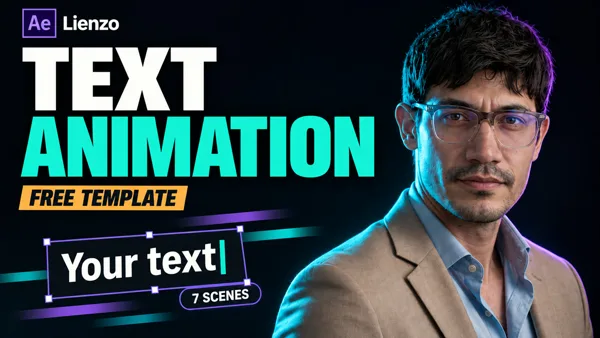
After Effects Text Animation: 7 Editable Scenes
Download an After Effects text animation project with seven scene folders. Follow text, color and render instructions, with English and Spanish documentation.
Preview and downloadIcons6
SVG and PNG · six design packs
SVG + PNG icons
50 Free Men's Clothing Icons in SVG and PNG
Download 50 clothing and accessory icons in SVG and transparent 512 px PNG. Preview designs and build readable store categories.
Preview and downloadSVG + PNG icons
25 Free AI Icons in SVG and PNG: Three Matching Styles
Compare 25 AI icon concepts in three styles. Download 75 SVG and 75 PNG files, with real previews, CSS examples, credits, and usage terms.
Preview and downloadSVG + PNG icons
50 Free VR and AR Icons in SVG and PNG
Download 50 VR and AR icons: headsets, holograms, sensors, and 360-degree content. SVG and transparent 512 px PNG files with usage guidance.
Preview and downloadSVG + PNG icons
50 Free Virtual Event Icons in SVG and PNG
Download 50 webinar and virtual event icons in SVG and transparent 512 px PNG. Compare previews and plan registration pages, agendas, and overlays.
Preview and downloadSVG + PNG icons
50 Free Hotel Icons in SVG and PNG
Download 50 hotel and hospitality icons for reception, rooms, spa, and restaurant services. SVG and PNG files with practical directory examples.
Preview and downloadSVG + PNG icons
50 Free Kitchen Icons in SVG and PNG
Download 50 kitchen icons with two color variants and PNGs at 24, 48, and 96 px. Preview real designs and adapt them to a restaurant menu.
Preview and download3D scenes2
Spline · editable files and web integration
Editable Spline scenes
8 Free Web Development 3D Scenes
Download eight individual Spline scenes or the complete pack with its combined composition. Preview each object and review web integration and credits.
Preview and downloadEditable Spline scenes
5 Free Animated 3D Scenes for Your Website
Preview five editable Spline scenes for charts, recruitment, announcements, navigation, and Halloween. Download the pack and read integration guidance.
Preview and downloadChoose the format your project needs
- SVG and PNG icons: choose SVG for scalable, editable vectors or PNG for an application that needs raster images. Styles, dimensions, and quantities vary by pack.
- WAV sound effects: compare the inventory and demonstration in each guide. The 68-effects library spans six categories and is not a single archive.
- After Effects projects: review the original tutorial and any stated font or dependency requirements before opening a copy of the project.
- Spline scenes: editable
.splinefiles require Spline. Each guide explains web integration and player dependencies. - Web templates: HTML, CSS, and JavaScript with live previews and separate downloadable ZIPs.
Free access from each guide
Lienzo does not require an account or email to access these resources. YouTube hosts demonstrations and tutorials. Packs linked to MediaFire are hosted by that provider, which may display its own advertising or download steps. Web-template ZIPs are served directly from Lienzo. Report a broken link with the resource name.
Preparation, credits, and usage terms
Preparation varies by resource: organized icon packs, documented SVG optimization, audio inventories and samples, customization tutorials, and integration examples. Size reductions reported in an individual guide apply to that pack, not the entire catalog.
Credits distinguish collaboration with MD Estudio Creativo, distribution by Lienzo, and applicable third-party licenses. Read the usage terms, credits and third-party licenses, and the individual guide. A free download does not grant permission to resell or redistribute it as another pack.
If you believe a file infringes your rights, email contacto@lienzo.tools with the article and filename. I remove the material while reviewing the case, within 48 to 72 hours.
Tools that work in your browser
Create QR codes with your logo, edit audio, generate palettes and favicons, optimize SVG, or create animated wavy text in English creative tools. Audio, QR, and SVG editing happens locally. Tools that query external resources, such as favicon lookup by domain, explain that access on their own page.
For more CSS generators, visit CSS generators. Explore the English blog for resource guides and practical tutorials.